> ## Documentation Index
> Fetch the complete documentation index at: https://dripart-docs-robin-i18n-sync.mintlify.site/llms.txt
> Use this file to discover all available pages before exploring further.
# Luma 文生图合作节点 ComfyUI 官方示例
> 本文介绍如何在 ComfyUI 中使用 Luma 文生图合作节点
Luma 文生图节点允许你使用 Luma AI 的高级技术,从文本提示生成高质量图像,能够创建照片级逼真的内容和艺术风格的图像。
## Luma 文生图的优势
* **高质量文生图生成**:从文本提示创建照片级逼真的内容和艺术风格的图像
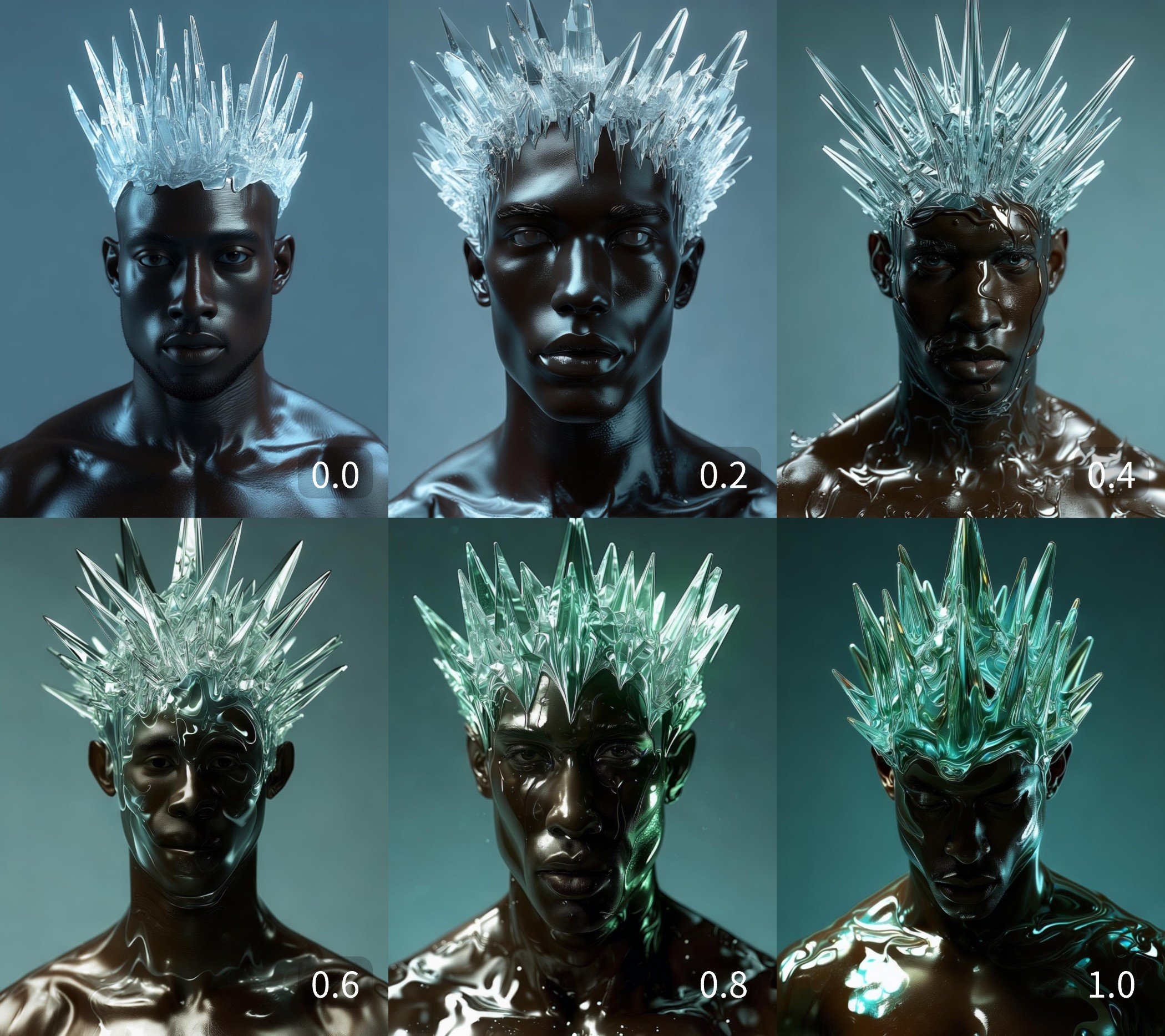
* **风格参考**:`style_image` 输入可引导结果的外观,`style_image_weight` 控制风格参考图像的影响程度
* **图像与角色参考**:`image_luma_ref` 输入支持参考引导生成,最多可同时使用 4 张参考图像和角色参考
## 示例输出
不同 `style_image_weight` 值下的风格引导生成,展示风格参考图像的影响:
 ## 在 ComfyUI 中使用
在 ComfyUI 中本地或通过 Comfy Cloud 运行文生图工作流
## 在 ComfyUI 中使用
在 ComfyUI 中本地或通过 Comfy Cloud 运行文生图工作流